AI Connect: change your website by chatting with ChatGPT or Claude
Connect your AI assistant to your CR Servers shared hosting. Ask for a change in the chat, check a private preview, and publish when you’re ready. Included with Digital Presence and every shared hosting plan.
How AI Connect works
Three steps. No shared passwords, no copying and pasting code.
Connect your assistant
Add CR Servers AI Connect in ChatGPT or Claude and sign in with your client area account. Your password never goes to the AI.
Ask and preview
Describe the change. The assistant prepares a draft and gives you a private preview link. Your live site doesn’t change yet.
Publish or undo
The assistant publishes only after you confirm. Say “undo the last change” and the site goes back to how it was.
Already hosting with us? Add AI Connect from ChatGPT's plugins or Claude's connector directory.
What the assistant can and can’t do
It works on the sites you choose, within limits you control.
What it can do
- Work on the sites you choose: your main domain, add-on domains or subdomains.
- Change HTML, CSS, JavaScript, image, font and PDF files.
- Publish only when you confirm, and undo any of the last 5 publishes.
What it can’t do
- Touch sites you didn’t choose.
- See or change your email, DNS, databases, SSL certificates or billing.
- Run PHP or server code, or change .htaccess.
- Read files that hold passwords, such as wp-config.php.
In the client area you see which assistants are connected and remove their access any time. Everything is logged.
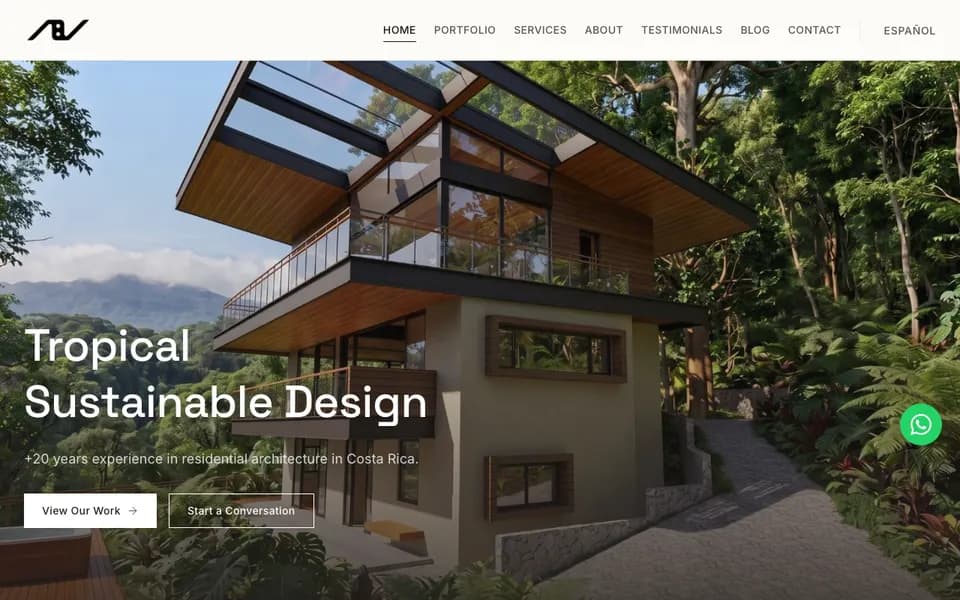
A real customer
Adrián updates architect.cr with AI
“WordPress is rigid and complicated software. Now, with AI, it’s easier to communicate and make changes, in my case with Claude. I can make changes instantly, without needing a third party.”
Adrián Bonilla
Residential architecture in Costa Rica
Translated from Spanish.
Visit architect.cr (opens in a new tab)Undo, backups and restore
One-step undo
- Before each publish, AI Connect saves the previous version of every file it changes.
- Undo any of the last 5 publishes by asking the assistant.
- It won’t publish over files someone changed by FTP in the meantime.
Your hosting backups
- Your plan’s automatic backups also cover your site: daily backups of your account structure plus full weekly data backups, kept off-server.
- Restore files, databases or the whole account from the control panel.
- Before a big change, also make a manual backup.
Works with your assistant
- ChatGPT and Claude, plus coding tools such as Cursor, VS Code, Warp, Claude Code and Codex.
- On the web, desktop and the mobile apps.
- Developers can also deploy from GitHub with CR Servers Deploy.
Where AI Connect is included
No extra cost. Choose how you want to start.
Digital Presence
$89/year + IVA
A .com domain, branded email and hosting for your site, in one yearly payment. The simplest way to start.
Web hosting plans
Monthly or yearly billing
For more space, or if you’d rather pay monthly. Every shared hosting plan includes AI Connect.
AI Connect FAQ
Help with setting up and managing your CR Servers services. Help guides
Hosting with AI Connect included
Pick a plan, connect your assistant, and update your site from the chat.