Dedicated servers in Costa Rica
Bare-metal in Costa Rica's primary telecom carrier facility in San José — with bilingual local support.
Dedicated servers in Costa Rica
- EntryDual Intel Xeon quad-core, 1.99 GHz or better8 GB RAM · 240 GB SSD$89/mo
- BusinessDual Intel Xeon quad-core, 2.33 GHz or better24 GB RAM · 960 GB SSD$179/mo
- PerformanceDual Intel Xeon hexa-core, 2.66 GHz or better96 GB RAM · 960 + 240 GB SSD$279/mo
Proven bare-metal servers
Deploy full root access on hardware sized for real workloads. Our local team helps you go live with no setup fee on standard plans.
Resources that scale with you
150 Mbps uplink and monitored connectivity
Support from our local team
All dedicated servers run in our racks in Costa Rica's primary telecom carrier facility with redundant power, monitored networking, and on-site remote hands during business hours.
Choose your dedicated server plan
Select billing period and save!
Need more power or a custom build?
Ask about Enterprise configurations on request. Our team in San José can also help you size hardware, billing periods, and provisioning—no obligation.
Why CR Servers for dedicated
Pay with Bitcoin
- Save 10% on eligible invoices — including renewals — when you pay with Bitcoin or Lightning.
- No middlemen, no chargebacks, no payment borders. A 2014 report named us the first business in Costa Rica to accept Bitcoin.
Local remote support
- Bilingual support in English and Spanish by phone, email, or ticket—staffed from Costa Rica.
- Optional Cloudflare CDN, WAF, and DDoS mitigation layered on our San José connectivity.
Platform features
- Remote reboots via remote power control when you need a clean start.
- KVM over IP console access available as an add-on, with no trip to the data center.
- Continuous network monitoring with staff notified of upstream or port events.
- Dedicated bandwidth upgrades available when your traffic grows.
What you see in the client area
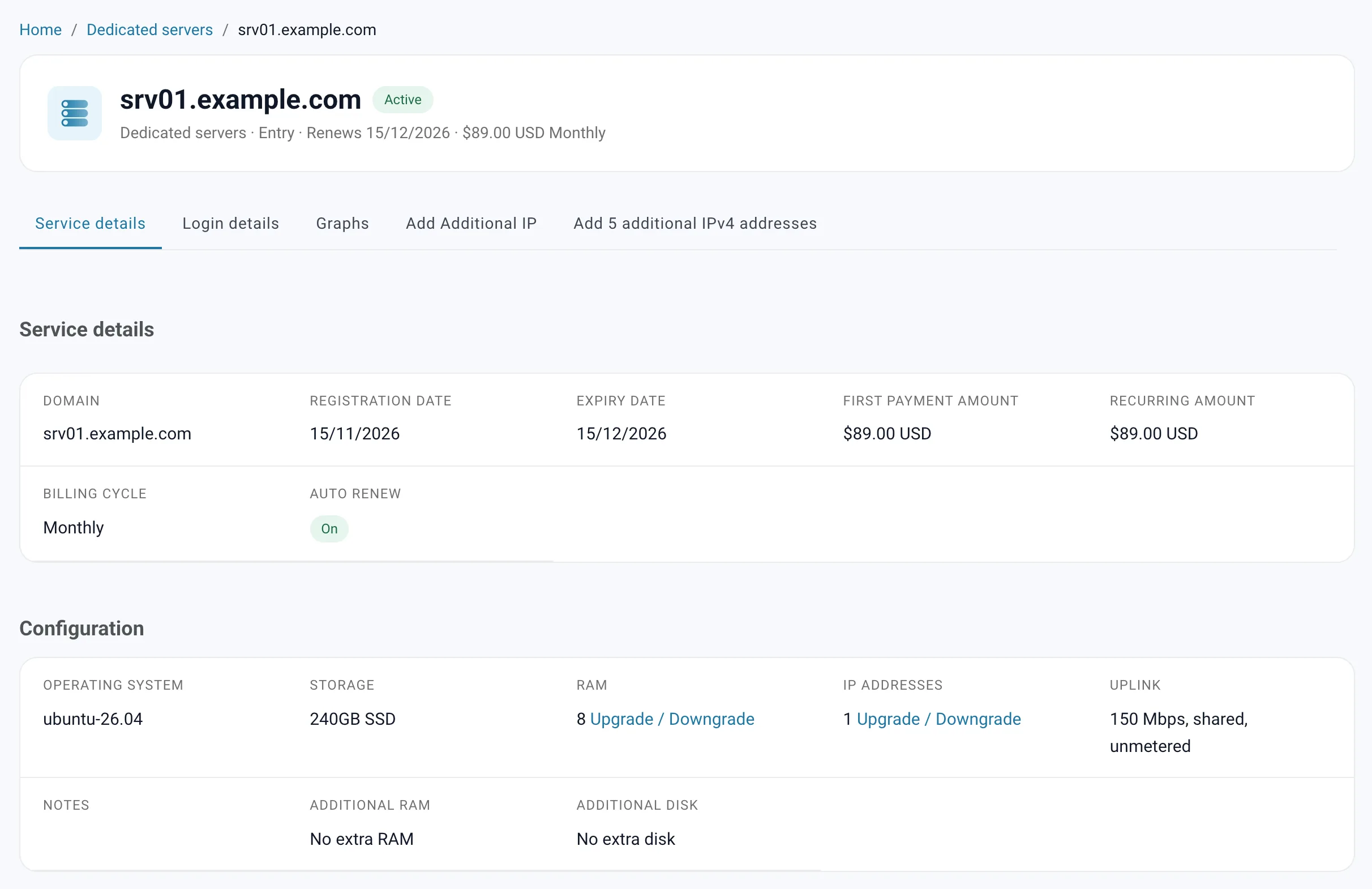
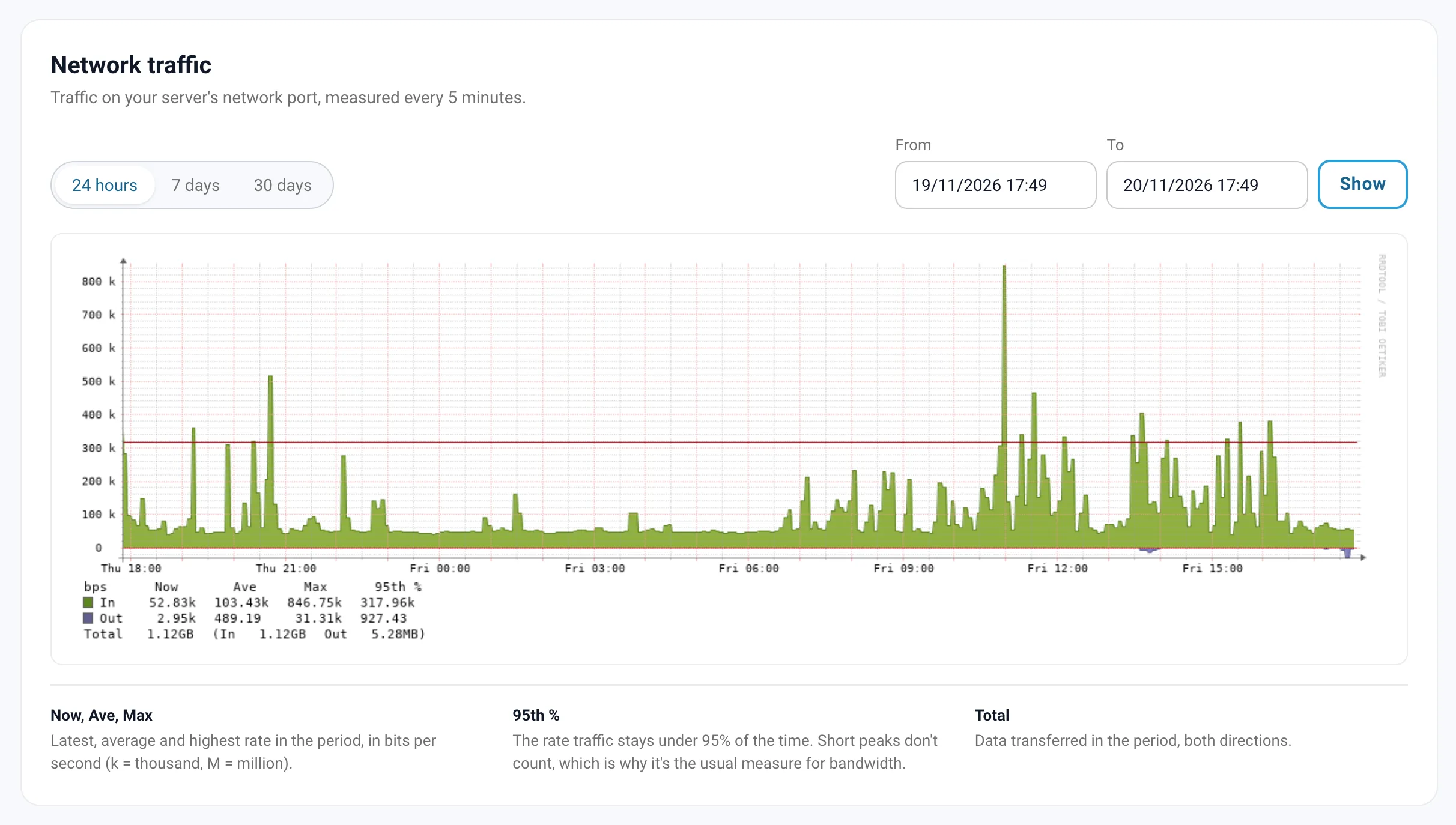
After you order, you manage your server from the client area: its details, renewal and upgrades, plus a graph of its network traffic that our team sets up when your server goes live.
 (opens the full-size image in a new tab)
Your server at a glance
Status, plan, renewal date and price, with the operating system, storage, RAM, IP addresses and uplink. Change RAM or IP addresses from the same page.
 (opens the full-size image in a new tab)
Network traffic on your port
Measured every 5 minutes. See the last 24 hours, 7 days, 30 days or any dates you choose, with the average, peak and 95th percentile.
Dedicated server FAQ
Help with setting up and managing your CR Servers services. Help guides